No, pricing does not automatically appear on the app. You’ll need to manually add pricing in the AXLE portal. Here’s how:
- Access Pricing:
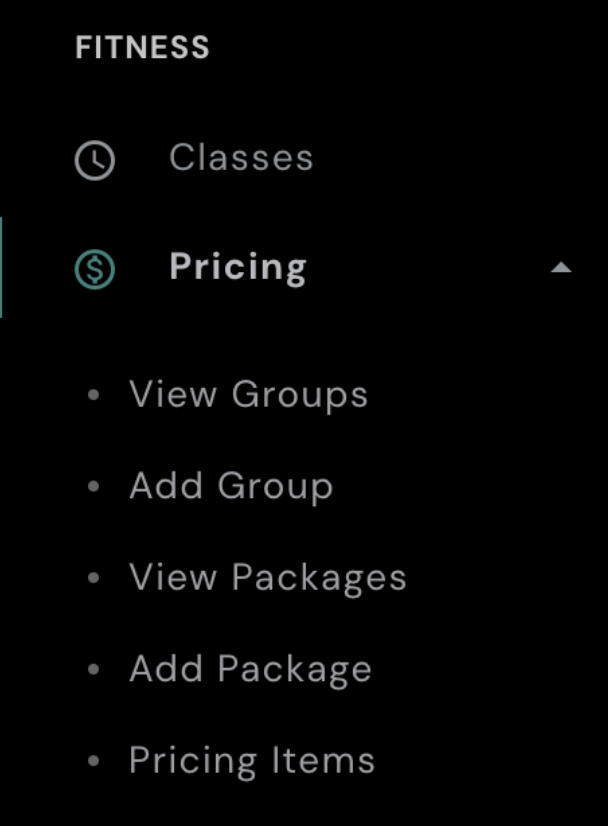
- On the left-hand side of your AXLE portal, locate the black toolbar.
- Under Fitness, click Pricing.
- Add a Package:
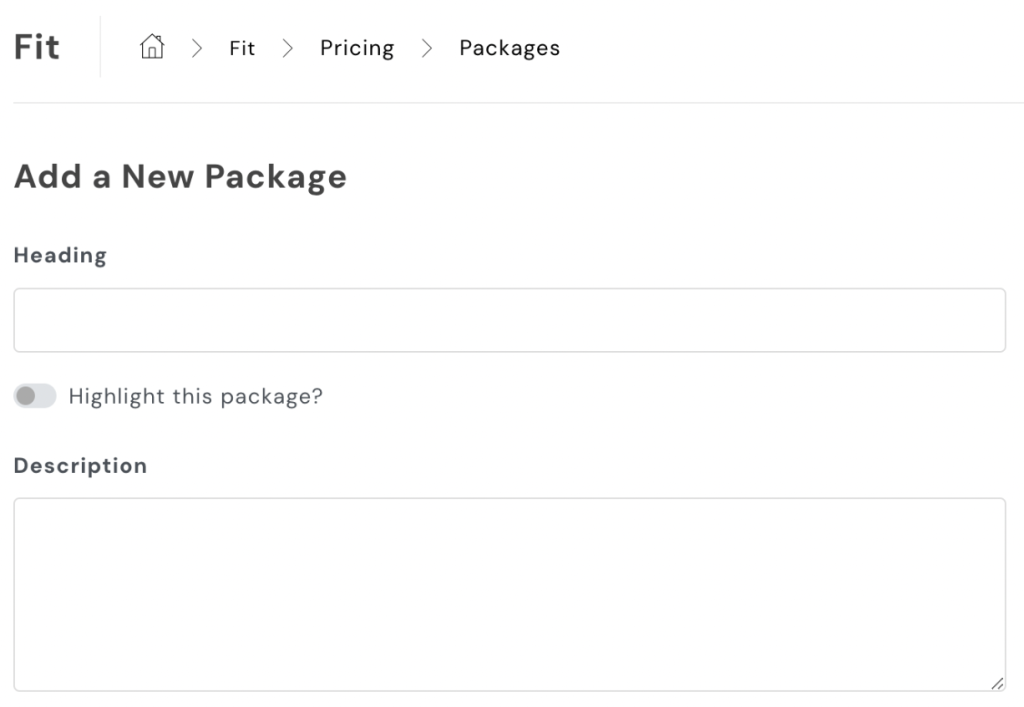
- Click Add Package.
- Enter the name of the package in the Heading field.
- Optionally, add a brief description if desired.
- Click Add Package to save.
- Add Pricing Items:
- Under Fitness, click Pricing Items.
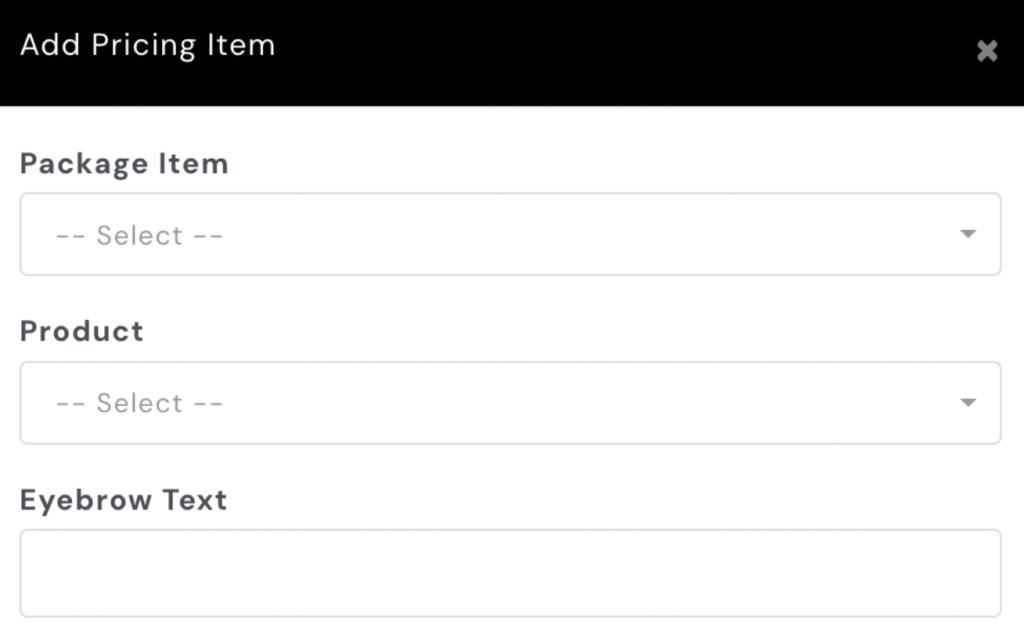
- Select the appropriate group (category) and click Add Item.
- Link the Package and Product:
- Add the Package Item you just created in AXLE.
- Link it to the Product from Mindbody.
- Save Changes:
- Scroll down and click Save Changes to finalize your updates.
By following these steps, you ensure that the pricing is correctly displayed on the app.