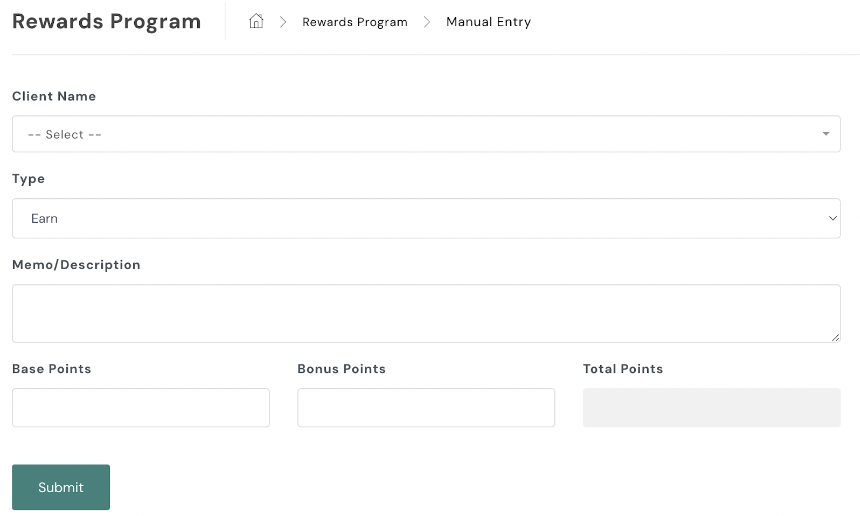
To manually add rewards points to a client account in your AXLE portal:
- Navigate to the Rewards Program:
- On the left-hand side of your portal, locate the black toolbar.
- Scroll down to CRM and select Rewards Program.
- Enter Points Manually:
- Click Manual Entry.
- Fill Out the Form:
- Complete the required fields, including client details and points amount.
- Set the Type toggle to Earn.
- Submit the Points:
- Once the form is filled out, click Submit to add the points to the client’s account.
This process ensures that rewards points are accurately credited to the client’s account.