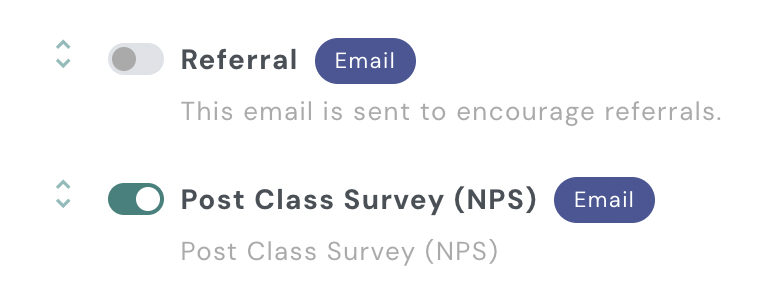
To turn off an automation campaign in your AXLE portal, follow these steps:
- Access Campaigns: On the left-hand side of your AXLE portal, locate the black toolbar and scroll down to the Campaigns section.
- Navigate to Automations: Within Campaigns, select Automations, then click Campaigns by Location.
- Toggle the Campaign Off: Find the campaign you wish to turn off. Toggle the switch to the “off” position. When the toggle is gray, the campaign is off.
Note: Ensure the toggle is gray to confirm the campaign has been successfully turned off.