
Yes, you can schedule pricing to appear and disappear on the app during specific dates and times. Here’s how:
- Access Pricing:
- In the AXLE portal, go to the Fitness section and click Pricing.
- Add or Edit a Pricing Item:
- To create a new pricing item, click Add Item.
- To update an existing item, find it in the list and click Edit.
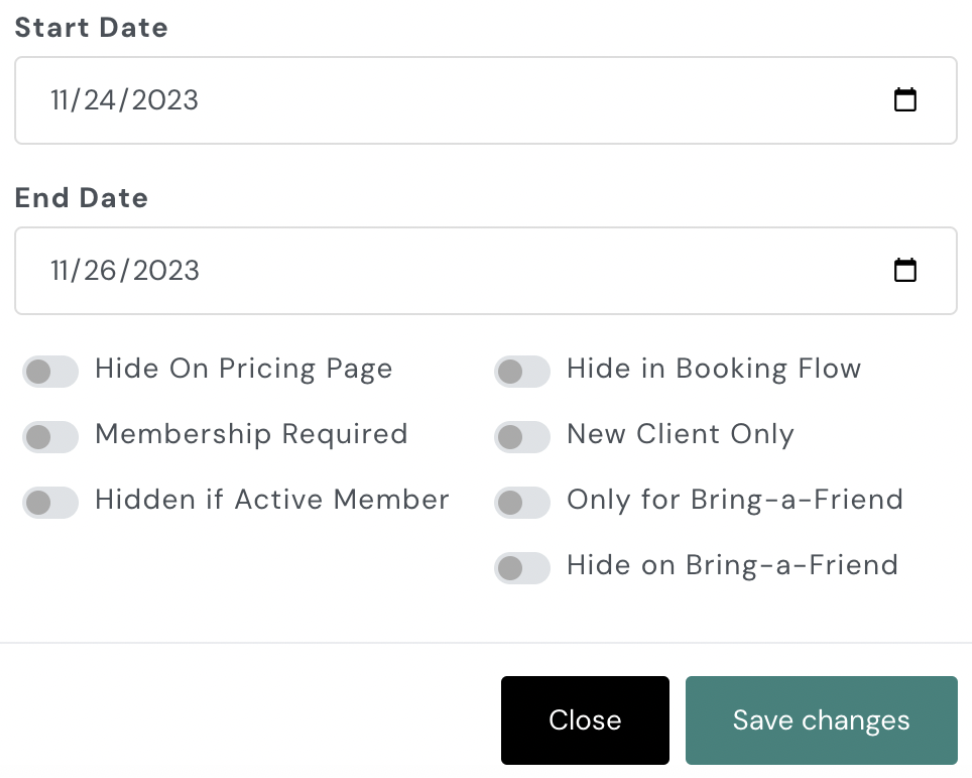
- Set Start and End Dates:
- Specify the start date and time when the pricing will appear on the app.
- Enter the end date and time when the pricing will stop being visible.
- Example Setup:
- For a Black Friday sale running from 12:01 AM Friday to 11:59 PM Sunday, input:
- Start Date: Friday at 12:01 AM.
- End Date: The following Sunday at 11:59 PM.
- For a Black Friday sale running from 12:01 AM Friday to 11:59 PM Sunday, input:
- Save Changes:
- Scroll down and click Save Changes to apply the schedule.
This feature is perfect for promotions, seasonal sales, or limited-time offers. Your pricing will automatically display and be removed from the app based on the schedule you set.
To learn how to add pricing, click here.